How to Install Downloader & Enable Developer Options on a Fire TV Stick 4K Max
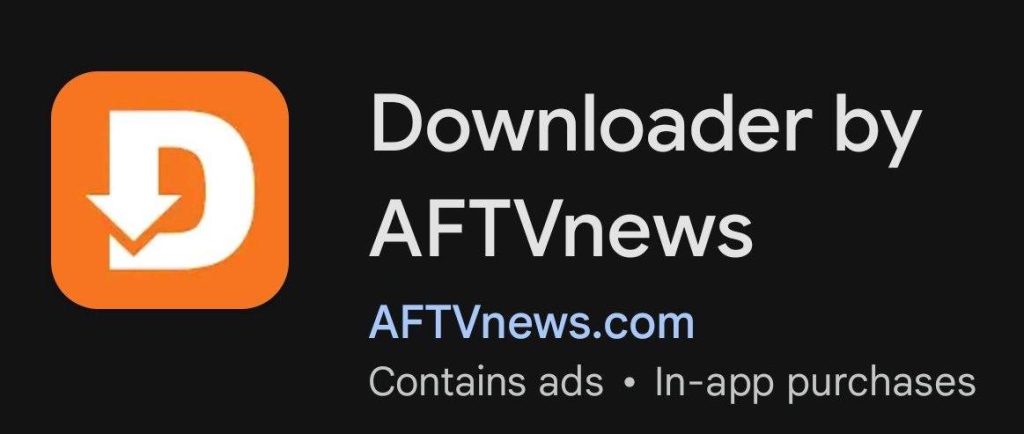
- From the Fire TV home screen, select Search, find Downloader, and install the app.
- Go to Settings > My Fire TV > About.
- Highlight Fire TV Stick 4K Max and press the Select/OK button 7 times until you see “You are now a developer.”
- Press Back > Developer Options > Install Unknown Apps and turn Downloader ON.
- Open Downloader and you’re ready to install SGTV. Start at step #2 below.
Installation for Firestick 4K Max, Google TV / Android TV Devices & Nvidia Shield Pro Users
- Search for Downloader in the App Store and install the application.
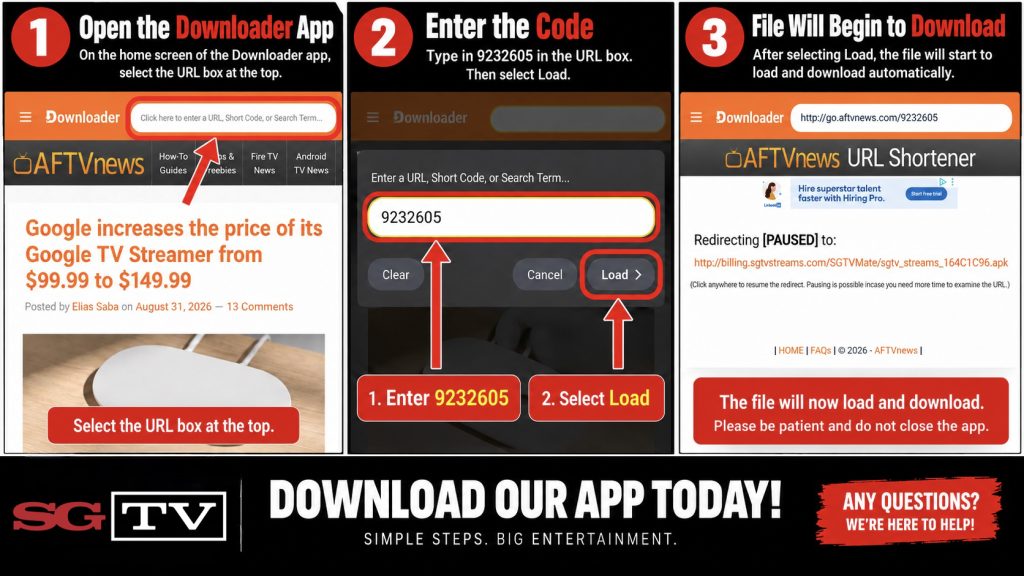
- To install the SGTV Player, open Downloader and enter 9232605 in the URL box.
- To install the SGConnected VPN, open Downloader and enter 8505989 in the URL box.
- If prompted, select Allow to permit installation from unknown sources.
- Install the SGTV Streams Player. When prompted, select Allow SGTV to access Photos & Media. This step is required for the application to function properly.
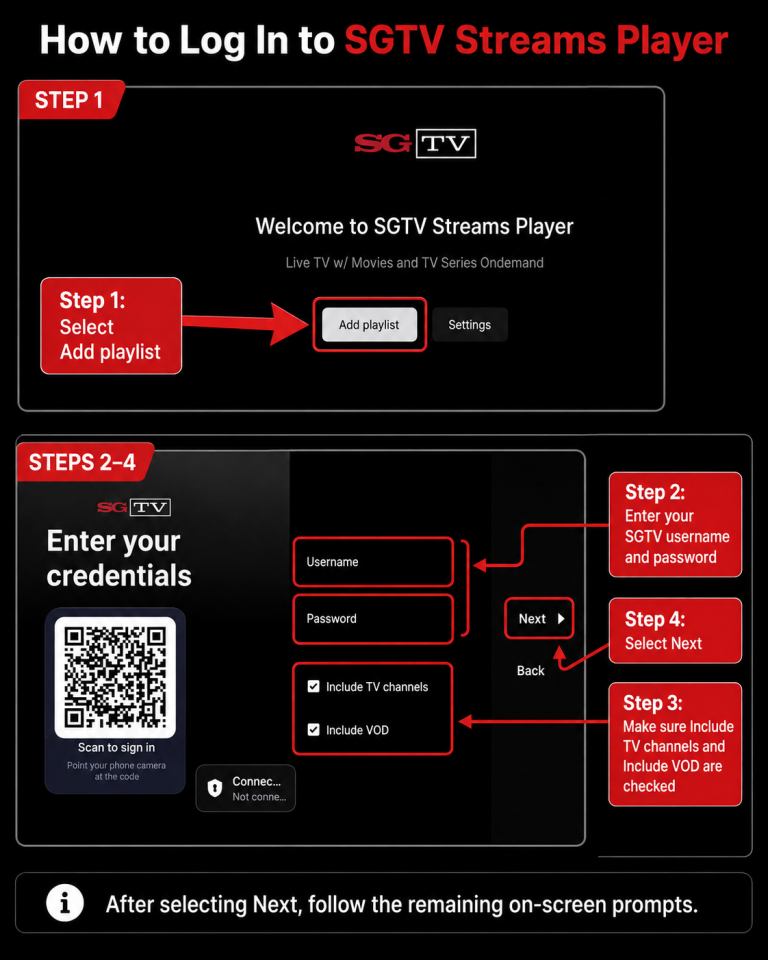
- Open the SGTV app and select Add Playlist. When logging into the SGTV application, use your numeric SGTV username and password. Your email address will NOT work in the SGTV app. Email addresses are only used to access the online Client Portal. You may also scan the QR code on the login screen to enter your credentials from your phone instead of using your remote for ease. Next.
- When the application loads for the first time, please allow a few moments for the menus, channels, movies, series, and TV guide to fully download and populate.
SGTV Streams Video Tutorial